
Upgrading your Ubuntu-on-Windows install to the app version

Canonical
on 3 August 2017
Our team and Microsoft recently released Ubuntu as a Windows app store application! 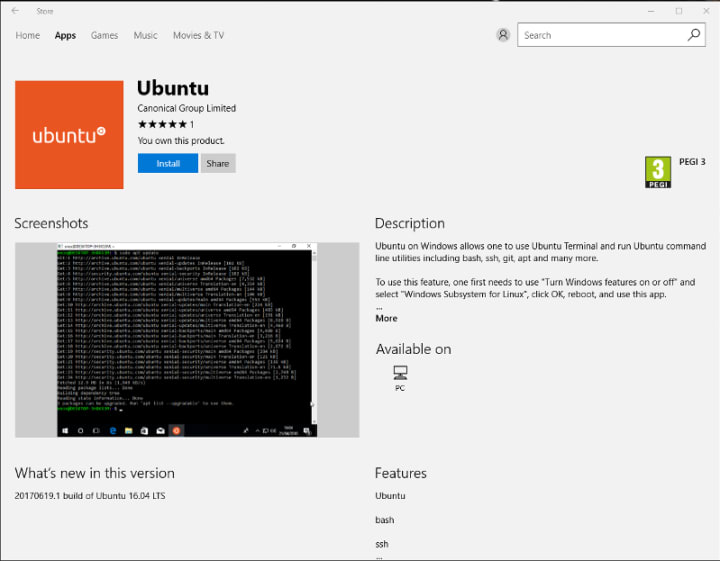 If you toyed with the “bash on Ubuntu on Windows” version before and would like to try the latest and greatest, read on!
Saving your data
If your “bash on ubuntu on windows” environment has some data you’d like to keep, make sure you back it up now. The uninstall process will nuke everything.
Uninstall the old way
This is relatively simple. Opening a command line (cmd.exe) terminal and typing
lxrun /uninstall
will destroy your previous environment.
Installing the new way
To find the app in the Microsoft store, just type “Ubuntu” in the search bar. Click install. Voilà!
Talk to us today
Interested in running Ubuntu in your organisation?
Newsletter signup
Related posts
How telco companies can reduce 5G infrastructure costs with modern open source cloud-native technologies
5G continues to transform the telecommunications landscape, enabling massive device density, edge computing, and new enterprise use cases. However, operators...
From cloud to dashboard: experience the future of infotainment development at CES 2026
This year, we’re excited to show a demo that combines the strengths of both Anbox Cloud and Rightware’s Kanzi, the industry-leading software for creating...
Canonical announces Ubuntu Pro for WSL
Ubuntu Pro for WSL provides turnkey security maintenance and enterprise support for Ubuntu 24.04 LTS WSL instances in Windows. The subscription will also...